Adoption
–
Testers who joined the platform
–
% submitted their first bug report

Role
Team
Timeline
Ajax Systems runs an external beta testing program to validate security devices before release. The process was broken: feedback came through Telegram, email, Facebook, and WhatsApp - no structure, no single home.
I shaped what success would look like for the product - defining metrics and their logic - and led core user flows and usability testing.
Managers spent up to 30% of their time chasing testers across 4 messengers. Bug reports arrived in inconsistent formats, missing technical details. Testers had no visibility into deadlines, report status, or whether their input mattered. Mass Telegram messages were getting accounts blocked. International partners refused to use it altogether.
The result: slow feedback, high coordination overhead, low tester motivation.
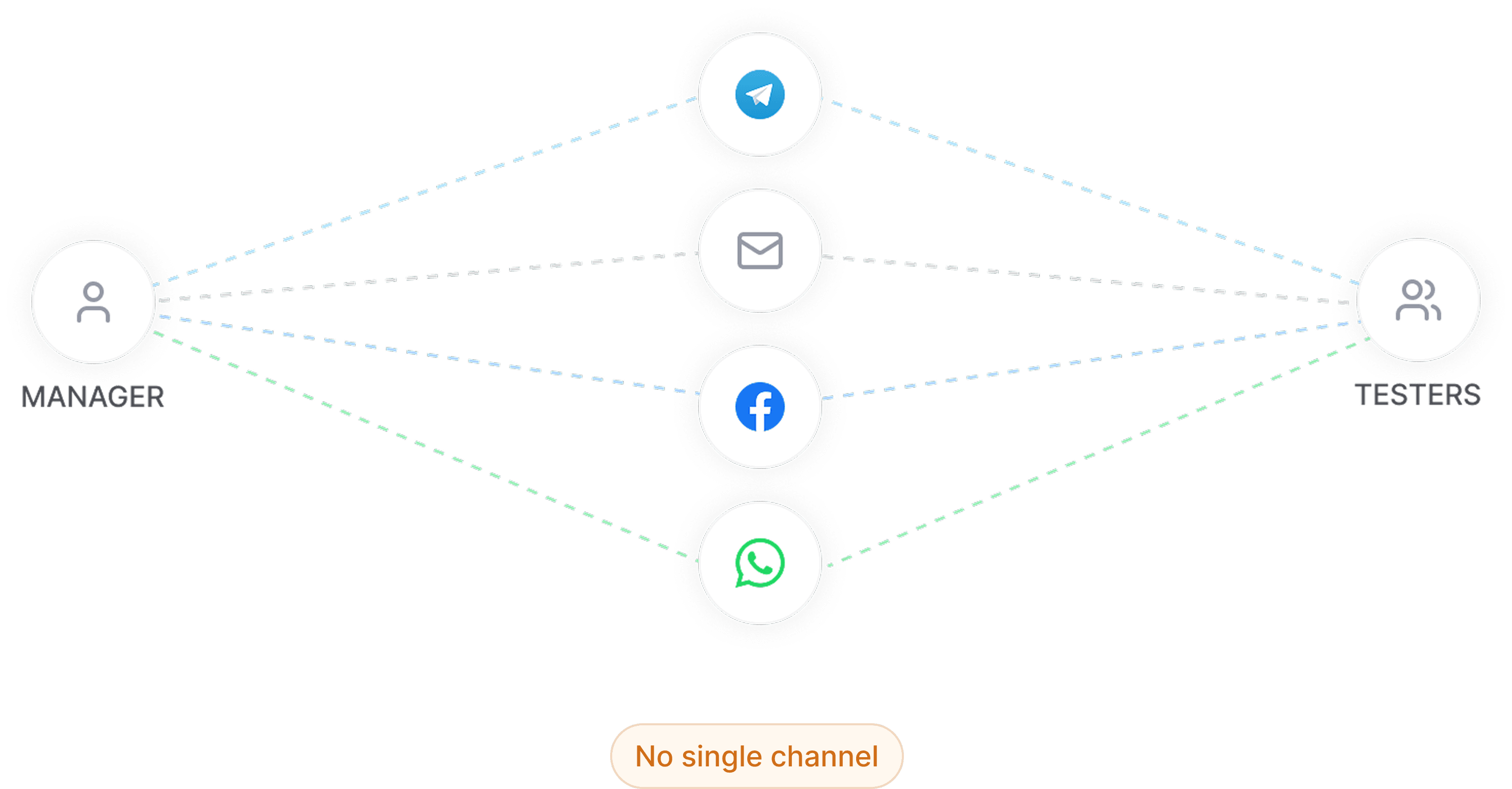
Communication scattered across 4 channels - critical information lost in every direction
Know what to test, submit with low effort, see their impact.
Run programs at scale without manual chasing; get structured reports.
Move testers through a clear journey at low cognitive load.
Faster feedback loops; secure data; support global partners who don't use the same tools.
Create one central platform for running tests and collecting structured feedback. One platform where managers run tests and receive structured, timely feedback - and testers always know what to do, how to report, and what impact they made.
To measure whether the MVP improves beta testing speed and report quality, I defined success metrics across four areas.
Adoption
Testers who joined the platform
% submitted their first bug report
Engagement
Median time: test start → first report
% completing the full journey
Weekly bug report volume
Manager Productivity
Time on outreach & follow-ups
Time clarifying incomplete reports
Quality
% of reports actionable without follow-up clarification
We ran a research workshop to align on goals before moving into interviews. Key questions: How do testers currently report issues? Where does context get lost? What drives engagement?
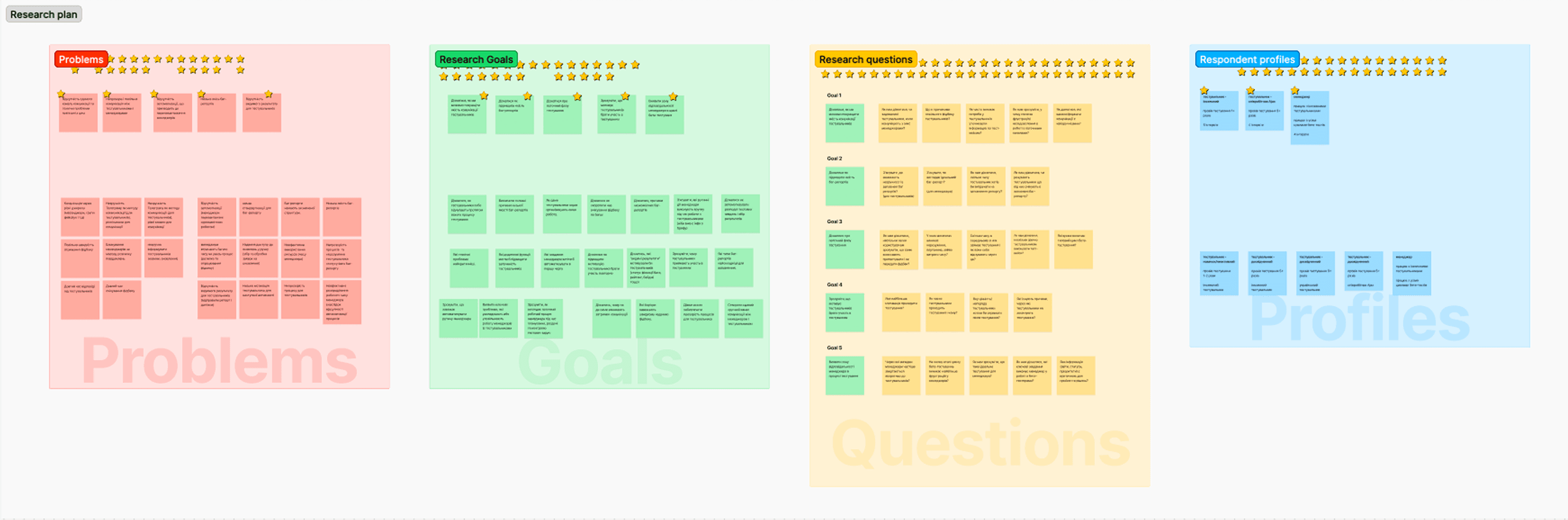
Research Plan - problems, goals, questions and respondent profiles
Interview insights became product hypotheses, prioritized with the RICE framework. This helped us choose the most impactful MVP features and connect them to measurable outcomes.
Structured bug report form
If we guide testers with a structured form, reports will be more complete and require fewer clarifications.
In-context communication
If clarification happens per test/report, lost context decreases and resolution becomes faster.
Centralized notifications
If reminders and updates are centralized, response speed improves and missed deadlines decrease.
Tester profile + activity tracking
If testers can track their activity and report statuses, motivation and return rate will increase.
Join
Pick a test
Test device
Submit report
Track status
Tests grouped by status: Not started / In progress / Submitted. Two views: Kanban for at-a-glance overview, List for detail. Nothing hidden, nothing to guess.
Kanban and table views of Testing Hub
Test name, description, deadline, and conditions - all on one page. Test cases as a checklist so testers always know what's done vs. what's left.
Test details drawer appears when clicking on one test
Centralized notification center: status changes, new tasks, deadlines, rewards. Reduces missed actions without relying on external messengers.
Centralized notification center with status updates and reminders
The first version organized content by function - tests here, updates there. It made sense structurally, but it didn't match how testers actually think. During usability testing, the gaps became obvious: no view of upcoming tests, no deadline visibility, no personal score. Testers kept asking "where do I go next?" The architecture had no answer.
We scrapped the sectioned layout and built a dashboard.
Sectioned layout only. No overview screen.
Tests
News & Updates
Profile
"Where do I go next?" - no answer
Dashboard added as overview. Sections kept for deep work.
Dashboard - overview screen
Individual pages - still exist for deep work
Tests
News & Updates
Profile
Overview at a glance + depth when needed
Architecture comparison - V1 sectioned layout vs. V2 unified dashboard
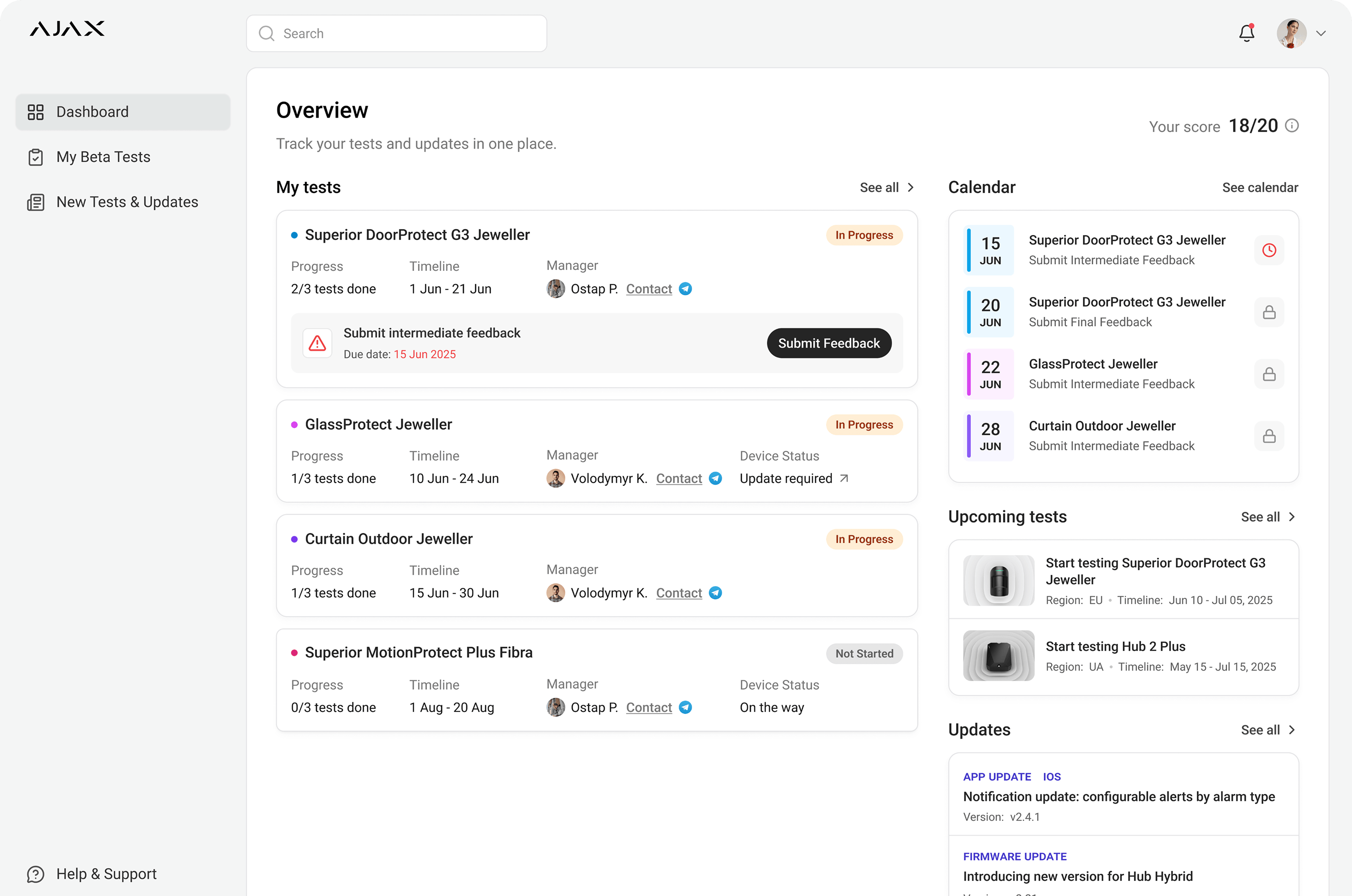
I owned the Dashboard end-to-end - from structure to final details. It replaced the sectioned V1 layout with a single screen that answers every question before the tester has to ask it.
Dashboard - 4 annotated zones, each answering a question testers were previously asking out loud
MVP kept communication lightweight by linking out to Telegram directly from the platform. Pragmatic for early rollout where local testers already use it.
For international programs, Telegram isn't viable. Next step: an integrated messenger so testers can reach the manager or test group without leaving the platform.
In-built messenger: modal view
In-built messenger: page view
Please visit from a computer in the meantime.