Government Monitoring Platform:
Web (Dashboards & CMS)
This project is under NDA - almost all data, content, and visuals shown have been altered
and are fictional.

Role
Team
Timeline
Context
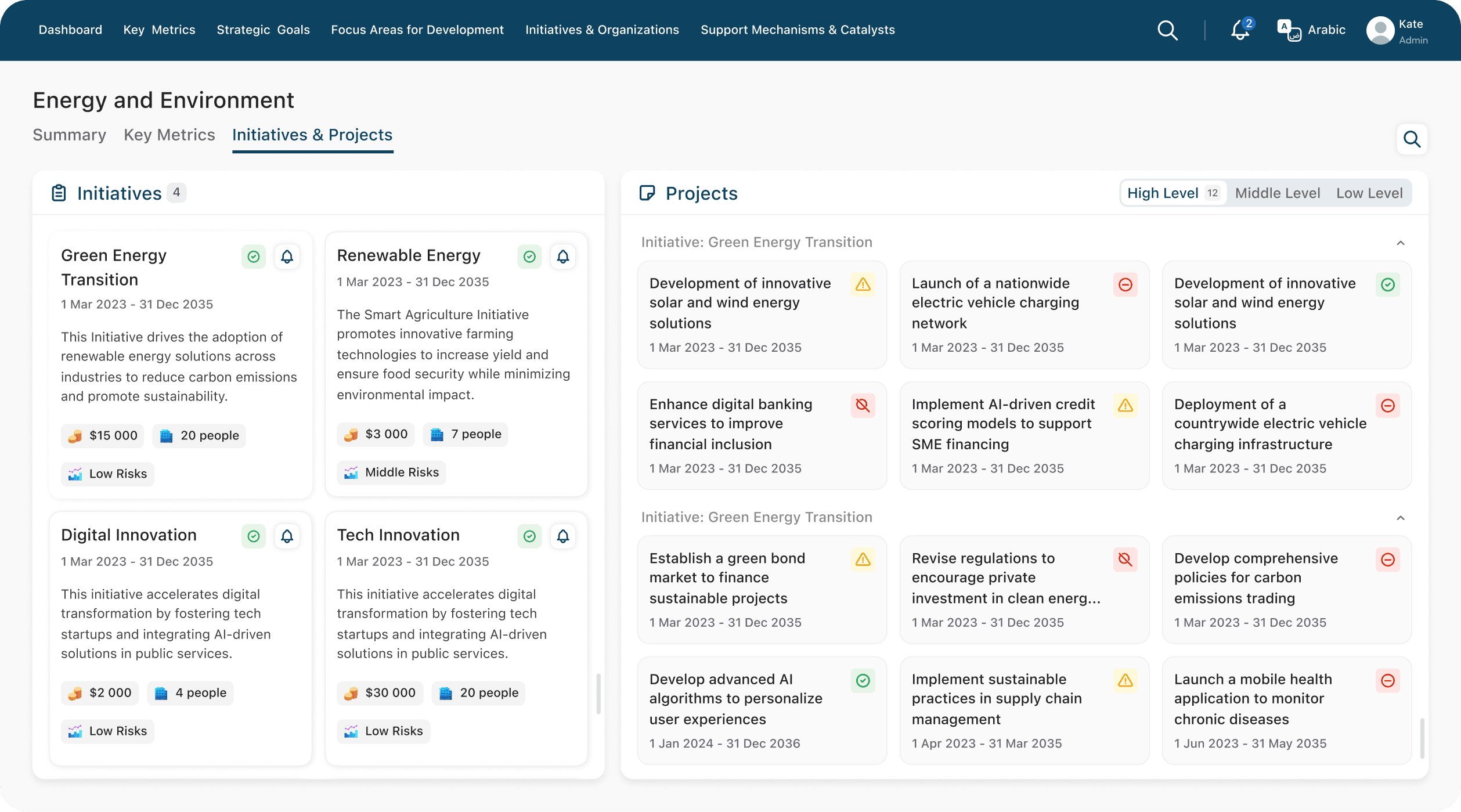
A government platform built as three connected products. The Dashboard gives leadership a read-only, real-time view across sectors - economy, tourism, healthcare, education, logistics, and more - while a separate, higher-level dashboard mirrors this for the Prime Minister's office. Both draw from the CMS, where operational users - sector staff, indicator analysts, access admins, and a content team - publish and update the information that flows live into both dashboards.
CMS
Sector staff, analysts, admins

Dashboard
Leadership, read-only
PM Dashboard
Prime minister view
Challenges
Access to stakeholders and end users was limited due to NDA restrictions, so the design and business analysis teams worked in daily, close collaboration - refining requirements together as the product took shape, rather than relying on a fixed spec upfront. This made for a highly iterative process, with several passes on nearly every feature as the scope evolved alongside the design.
Team and my role

Design
4 designers
- UX/UI design
- Product research
- Design system (RTL, bilingual)
- User flows
- Prototyping and iteration

Business Analysis
BA team
- Business logic
- Stakeholder communication
- Scope definition
- Flow validation

QA & development
QDS team
- Design review
- Development
- Edge case review
- Release validation
I owned complex workflows across both dashboards and CMS, took main role in creation of design systems used across the entire platform - see the (Coming soon) for the full breakdown. I also worked directly with the business analysts to help shape requirements, not just design against them.
Process
Design consistently worked a sprint ahead of development. Each cycle moved from an initial brief and scoping questions, through iterations shaped by ongoing BA feedback, to a finalized spec ready for handoff - while development built and tested the previous feature in parallel, and design had already begun the next one.
Sprint 1
Sprint 2
Sprint 3
Sprint 4
Sprint 5
Design + BA
QDS
Spec handoff
Feature A - design
Brief, iterations, final spec
Feature B - design
Brief, first iterations
Feature A - build
Development + QA

Dashboard
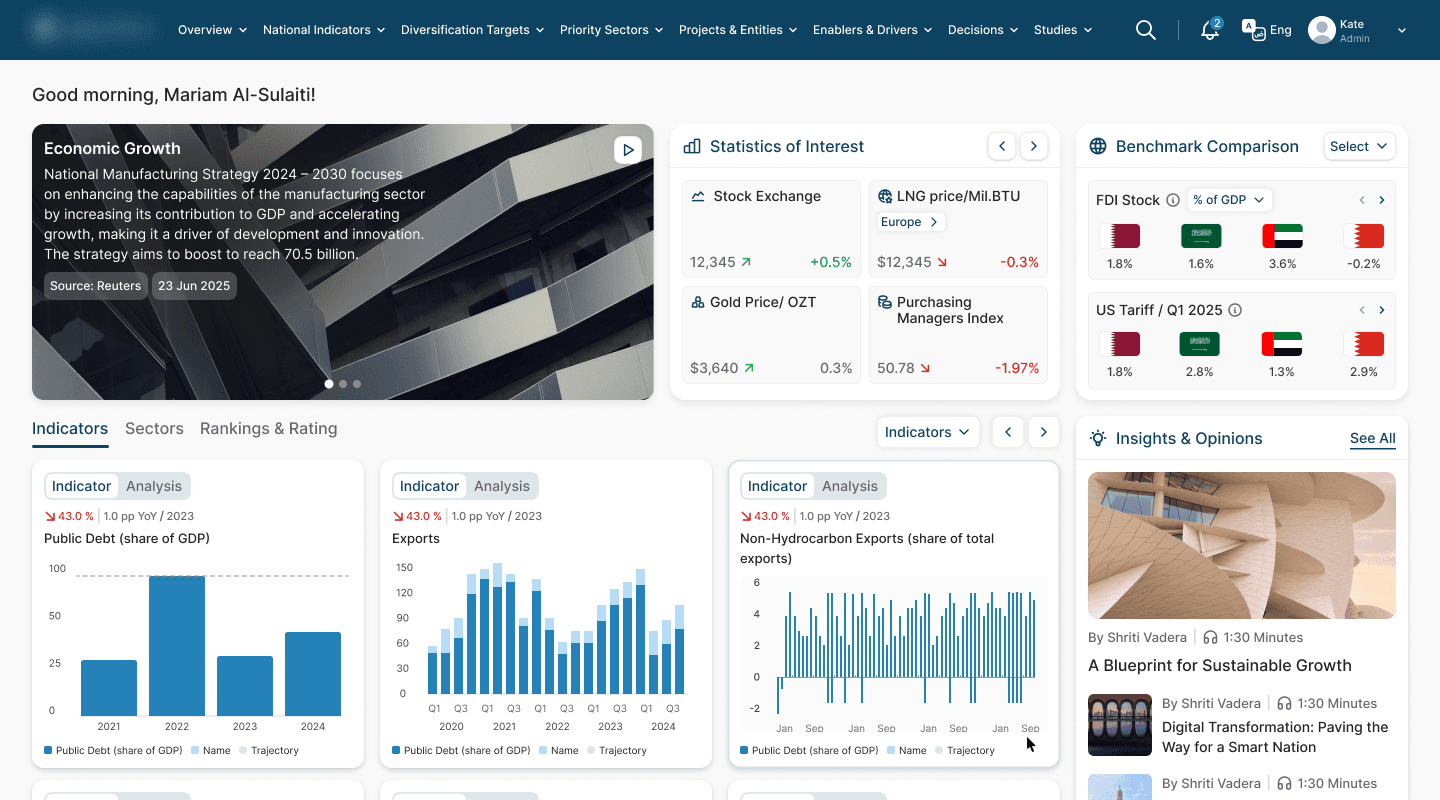
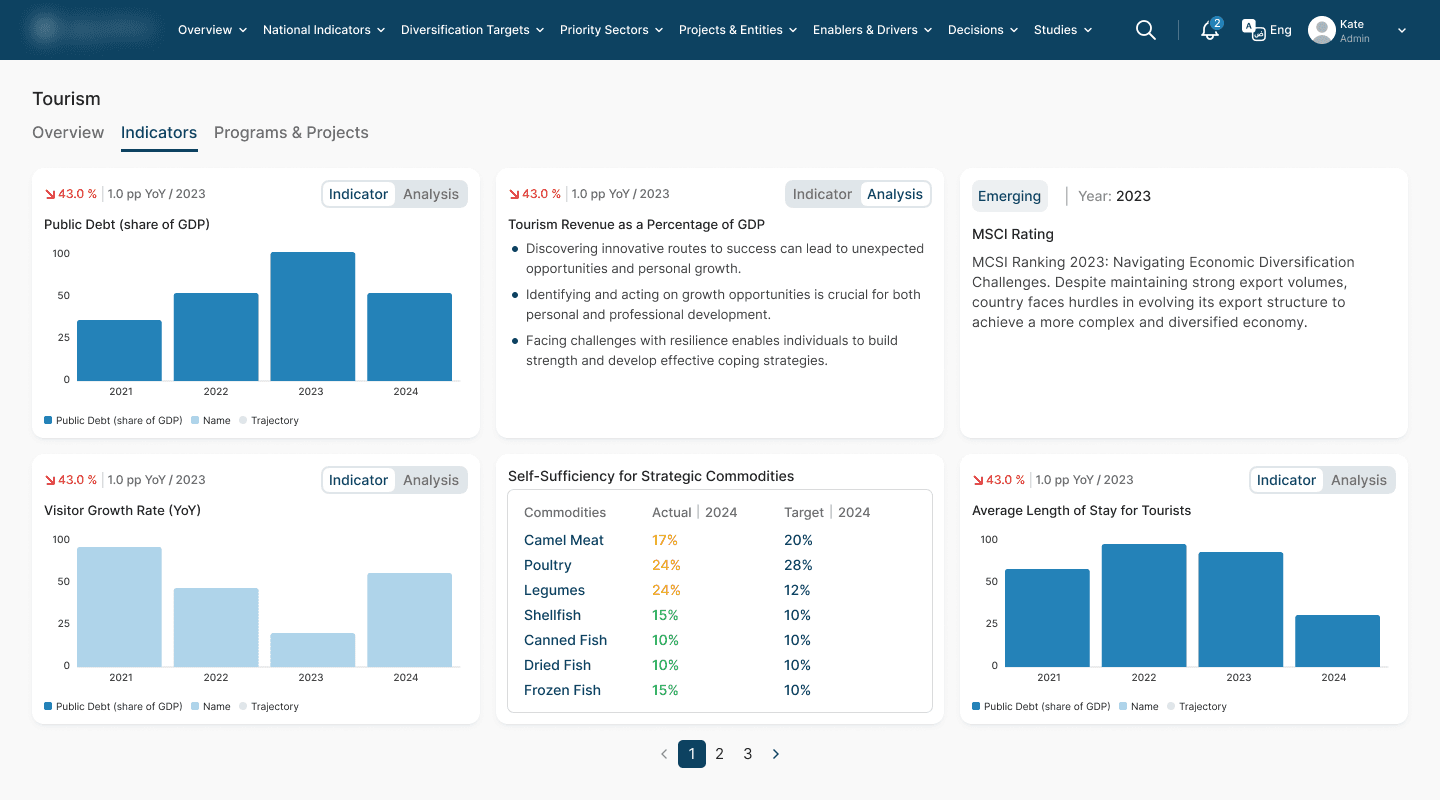
The dashboard gives decision-makers a real-time, cross-sector view - from economic indicators to healthcare and tourism metrics - surfacing trends, alerts, and comparisons that support faster, more informed decisions.
Overview
Tourism Indicators
CMS Back-office
The CMS is where operational users - sector staff, analysts, admins, and content teams - manage the data and content that power both dashboards, from requesting changes to reviewing records to controlling access.
Demand Management
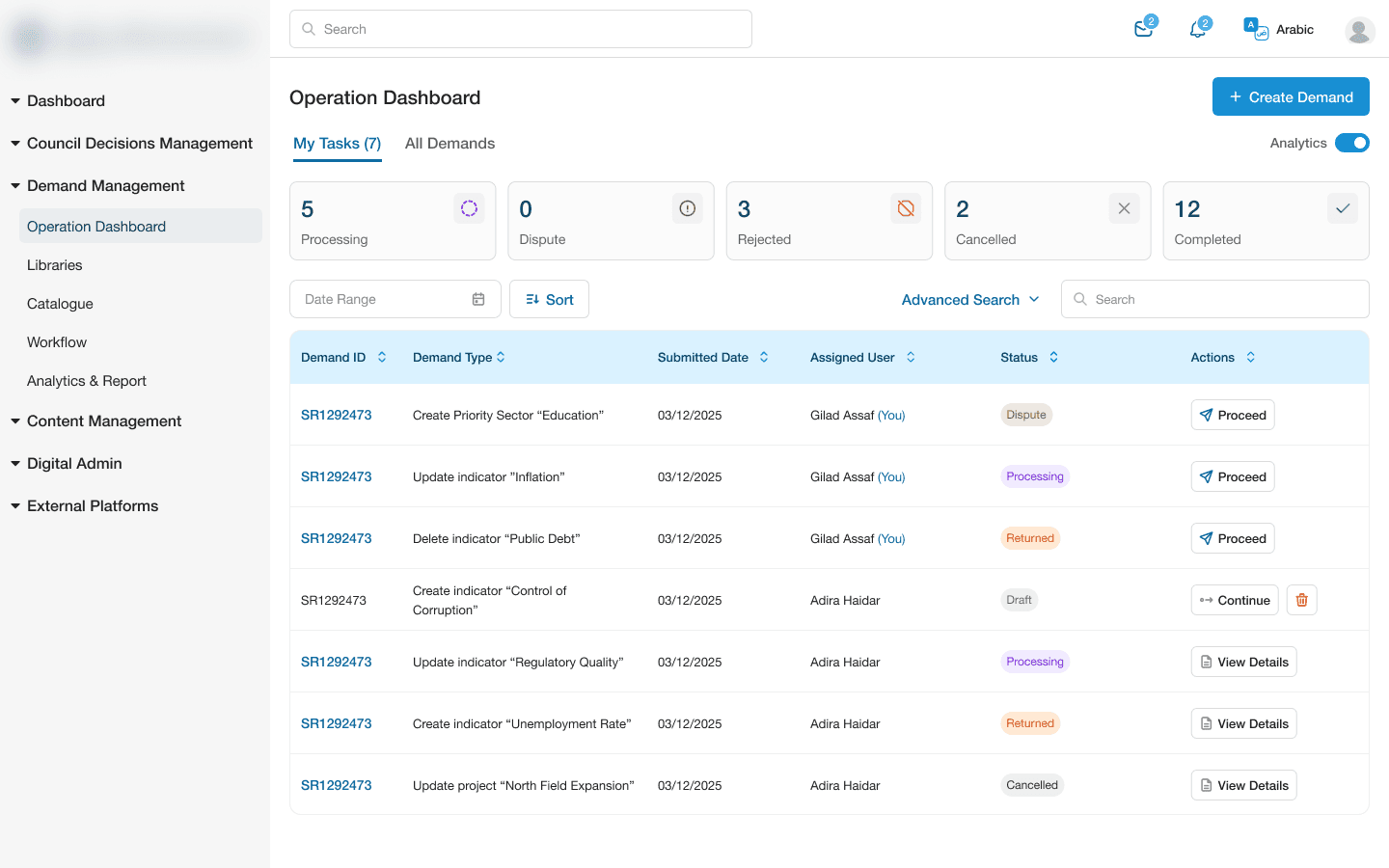
Demand Management is the module that lets users without direct edit access request changes to platform content - indicators, sectors, projects, and more - by submitting a demand for someone with the right permissions to review and approve.
The Operation Dashboard, part of it, gives requesters and approvers a shared view of every demand - status, assignee, and progress at a glance - while a detailed panel surfaces the full history of each request: who approved, returned, or escalated it, and why, down to the specific comment left at each step.
Operation Dashboard
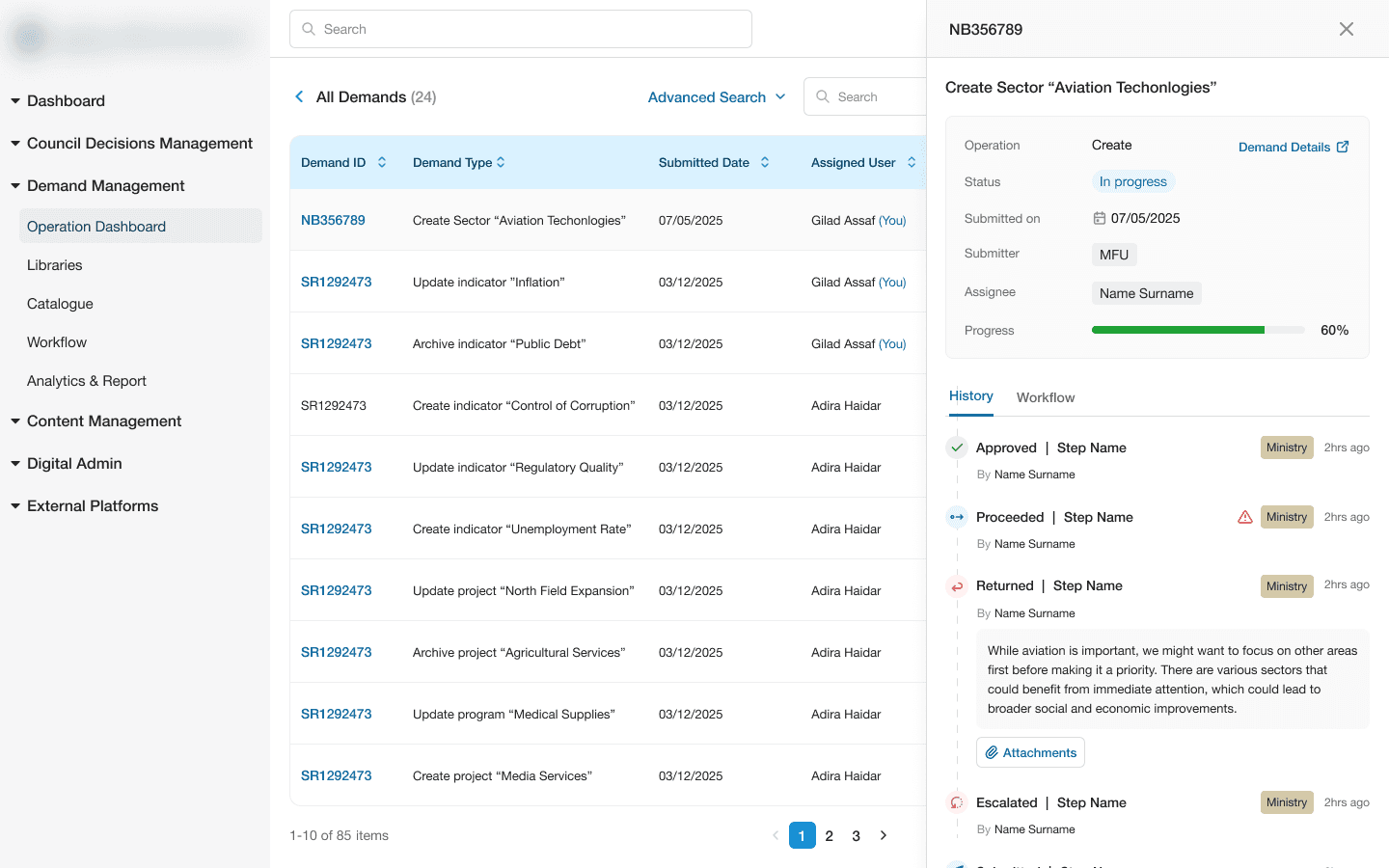
Demand details
Library
The Library is where users browse and review the current state of everything tracked on the platform - sectors, indicators, projects, programs, drivers, enablers, and entities - organized as a searchable, filterable catalogue rather than a raw database view.
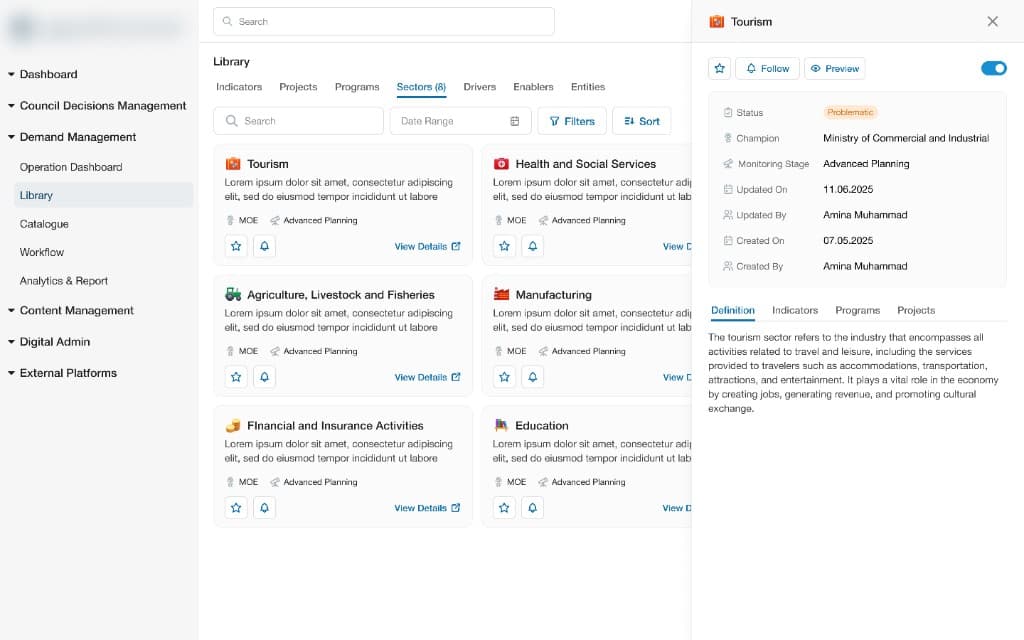
Sector details
Role Management
A role management system for a multi-environment government dashboard. I designed the full permission architecture and interaction model - from how roles are structured to how individual user access is configured.
Replaced a fixed set of predefined roles with a granular permission model - supporting virtually unlimited role combinations across 3 environments.
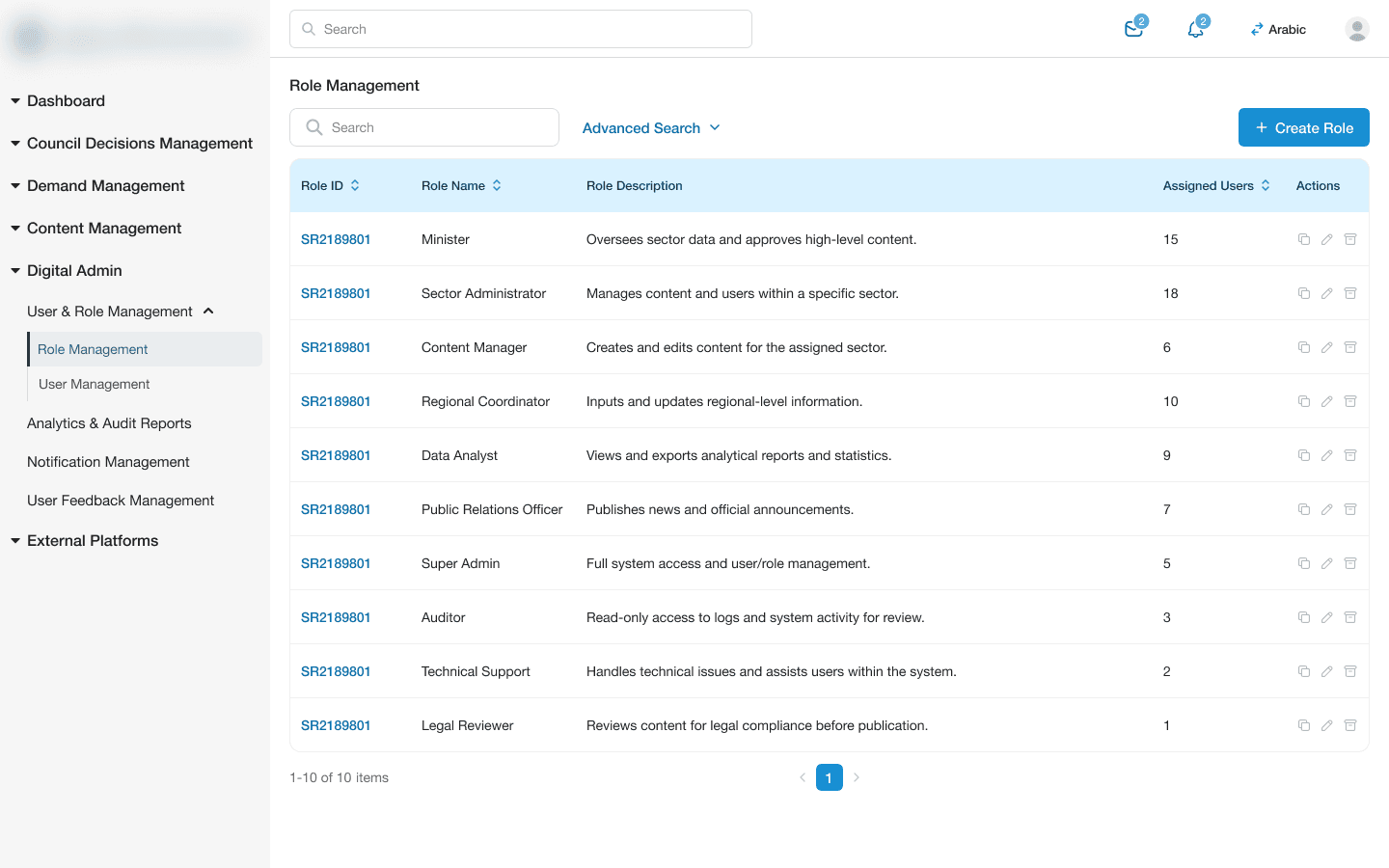
Database of roles
When creating a role, admin can select platforms to which the role should have access
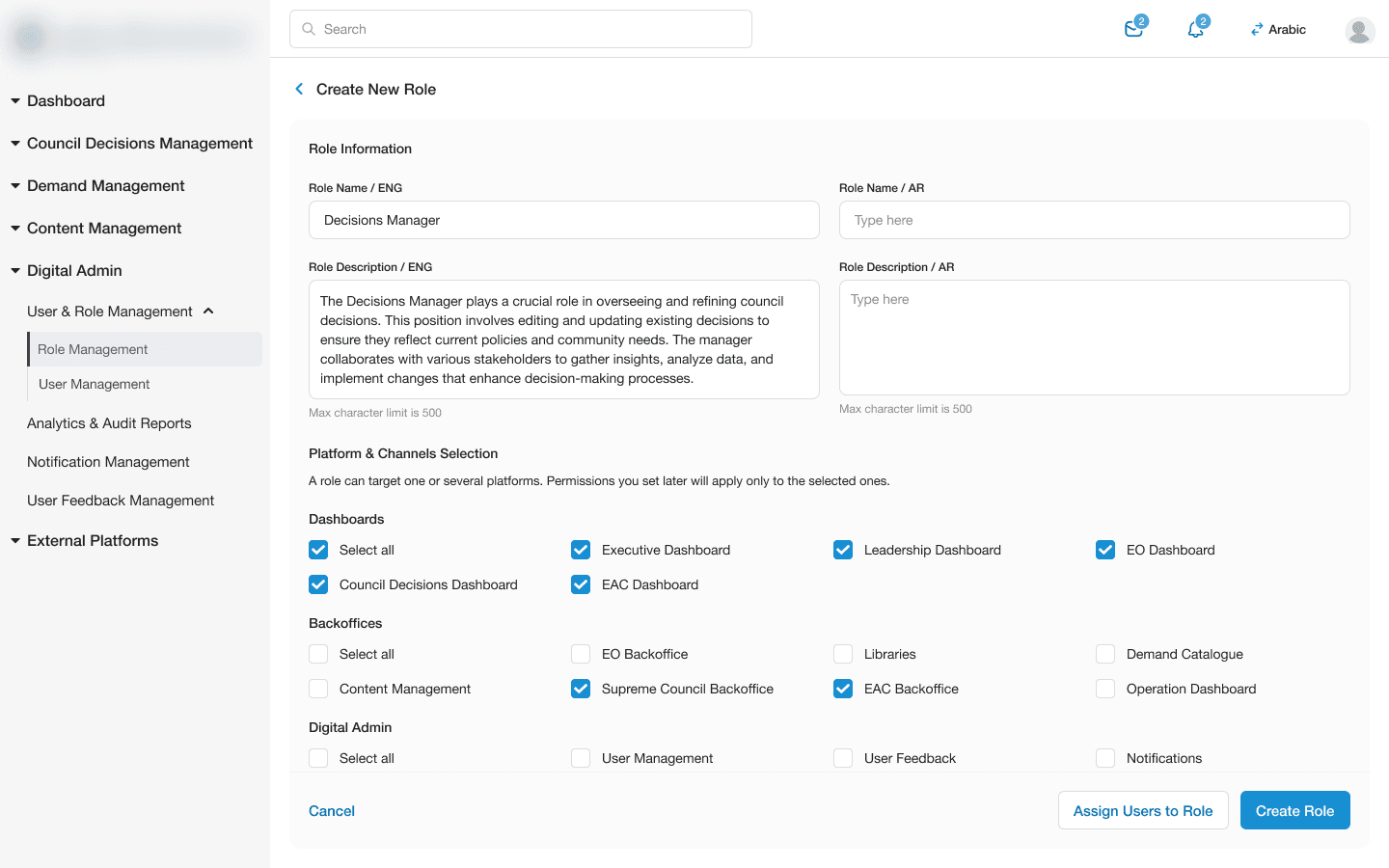
Creating new role
When the role is created, admin assigns it to the user during profile creation or editing.
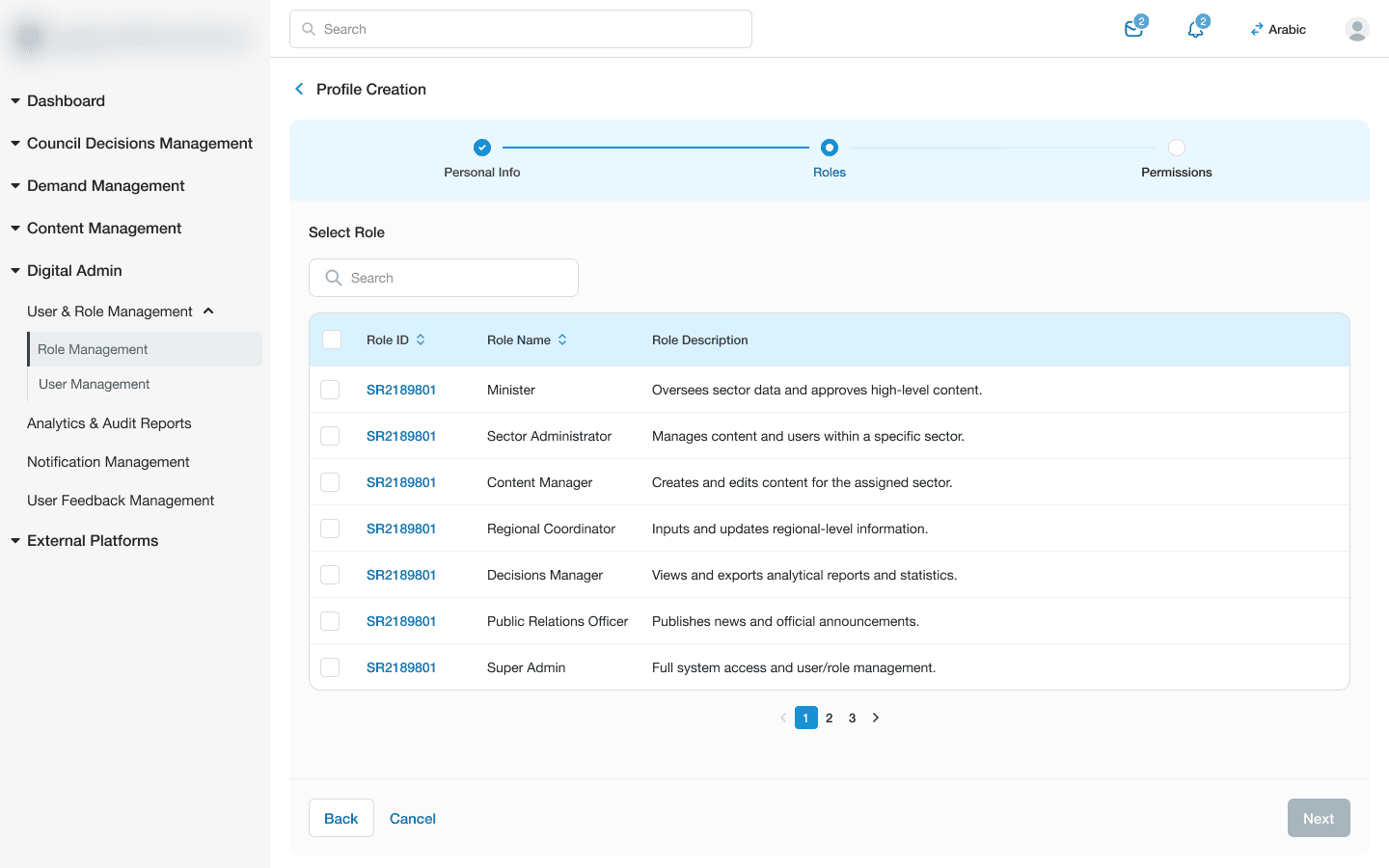
Assigning role to a user during profile creation
After assigning a role, admin selects action permissions for each user separately for every platform.
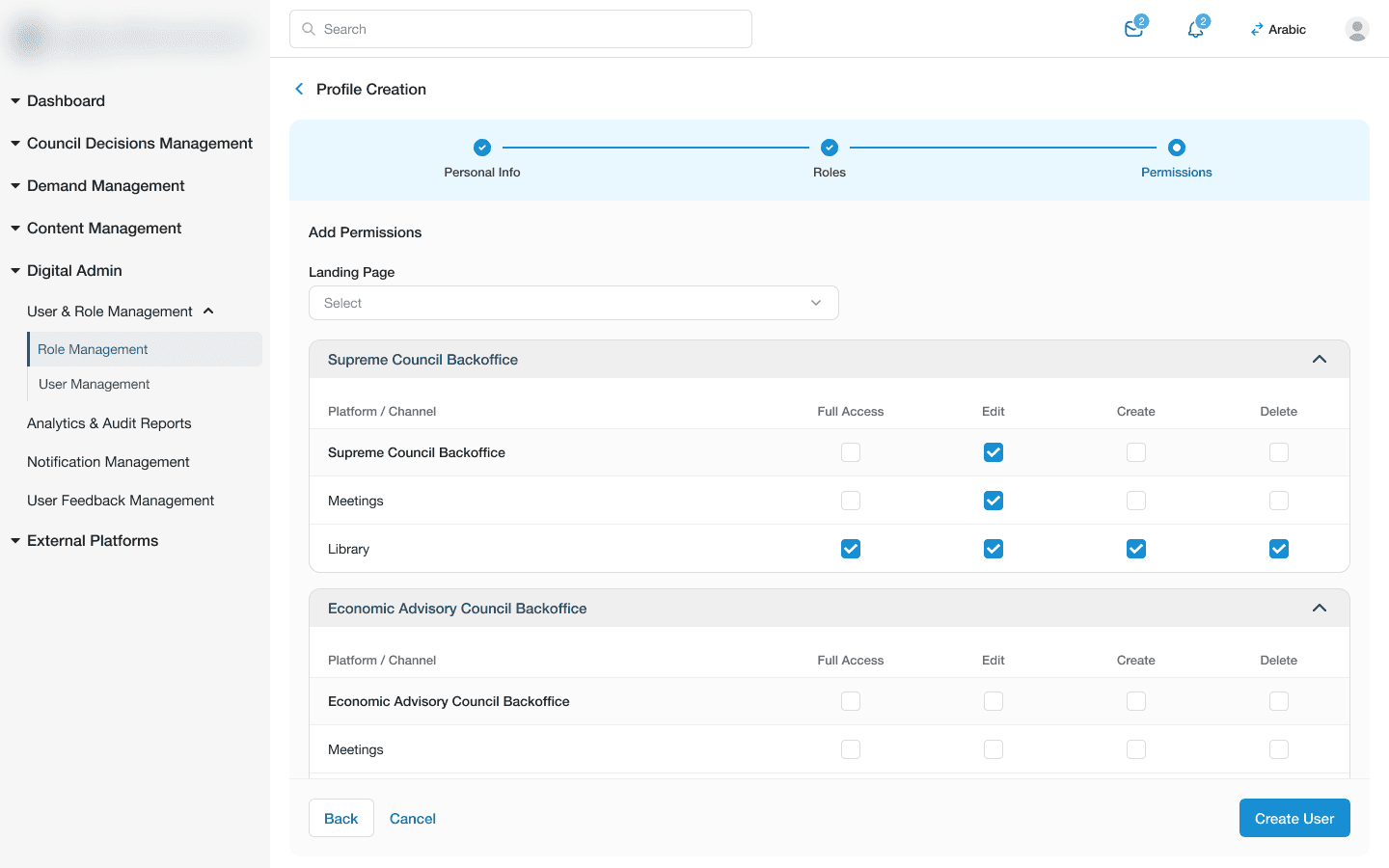
Setting up granular action permissions for each user separately
Summary
The government organisation now runs on analytics dashboards and back-office CMS built specifically around their internal workflows and structure, supported by a dedicated design systems built and maintained by three designers - see (Coming soon).
Read connected case studies
Design System case study (Coming soon)
Mobile app case study (Coming soon)